Introduction
Key Features
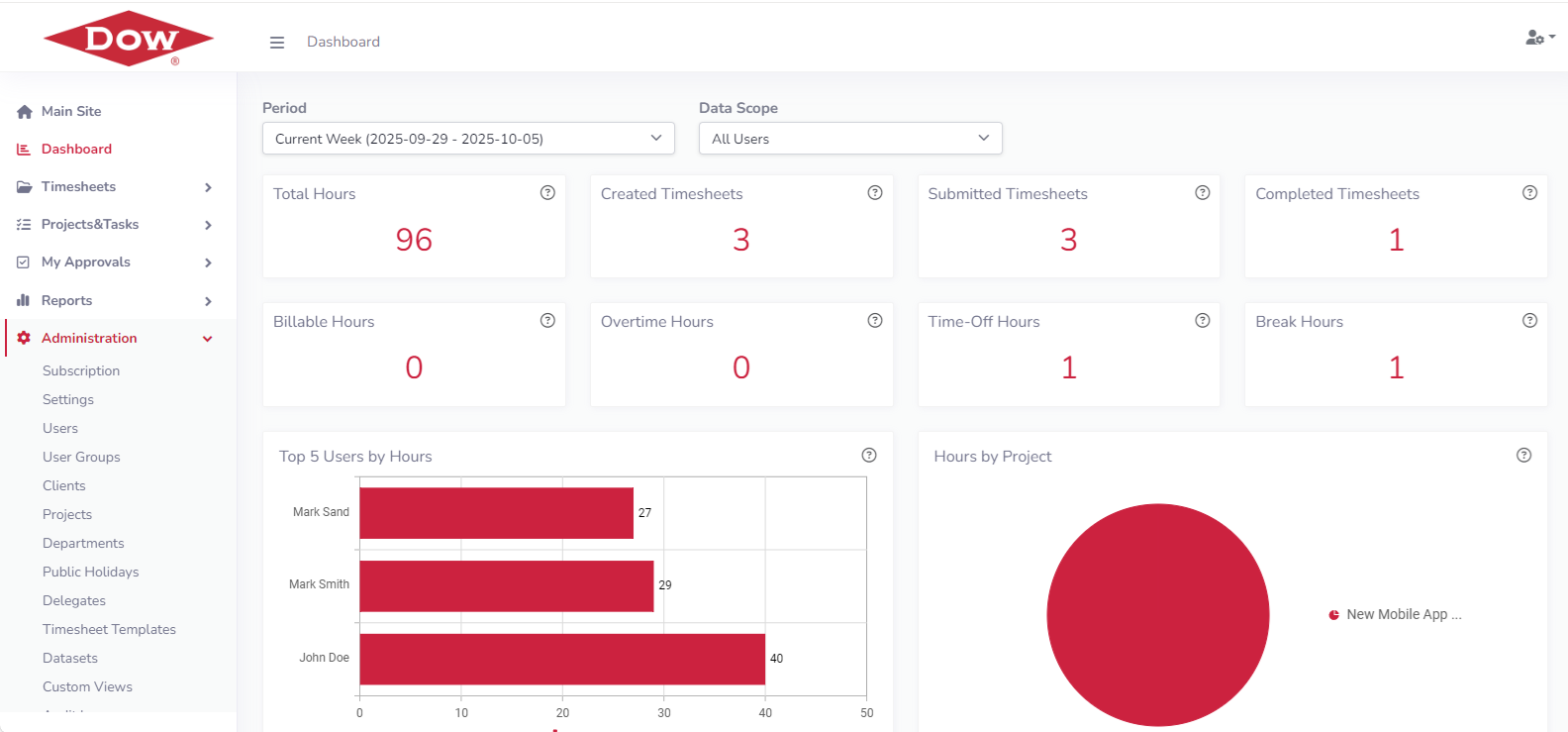
Timesheet Hub is designed to simplify and enhance every aspect of employee time tracking and approval. From flexible entry options and customizable workflows to powerful reporting and seamless integrations, the app provides a comprehensive set of tools tailored to the needs of modern organizations. Whether you’re managing projects, tracking billable hours, or monitoring workforce utilization, Timesheet Hub delivers the flexibility, control, and insights required to optimize productivity and streamline timesheet processes.
Timesheet Management
Simplify how employees log time and managers approve it, ensuring accuracy and transparency across the organization.
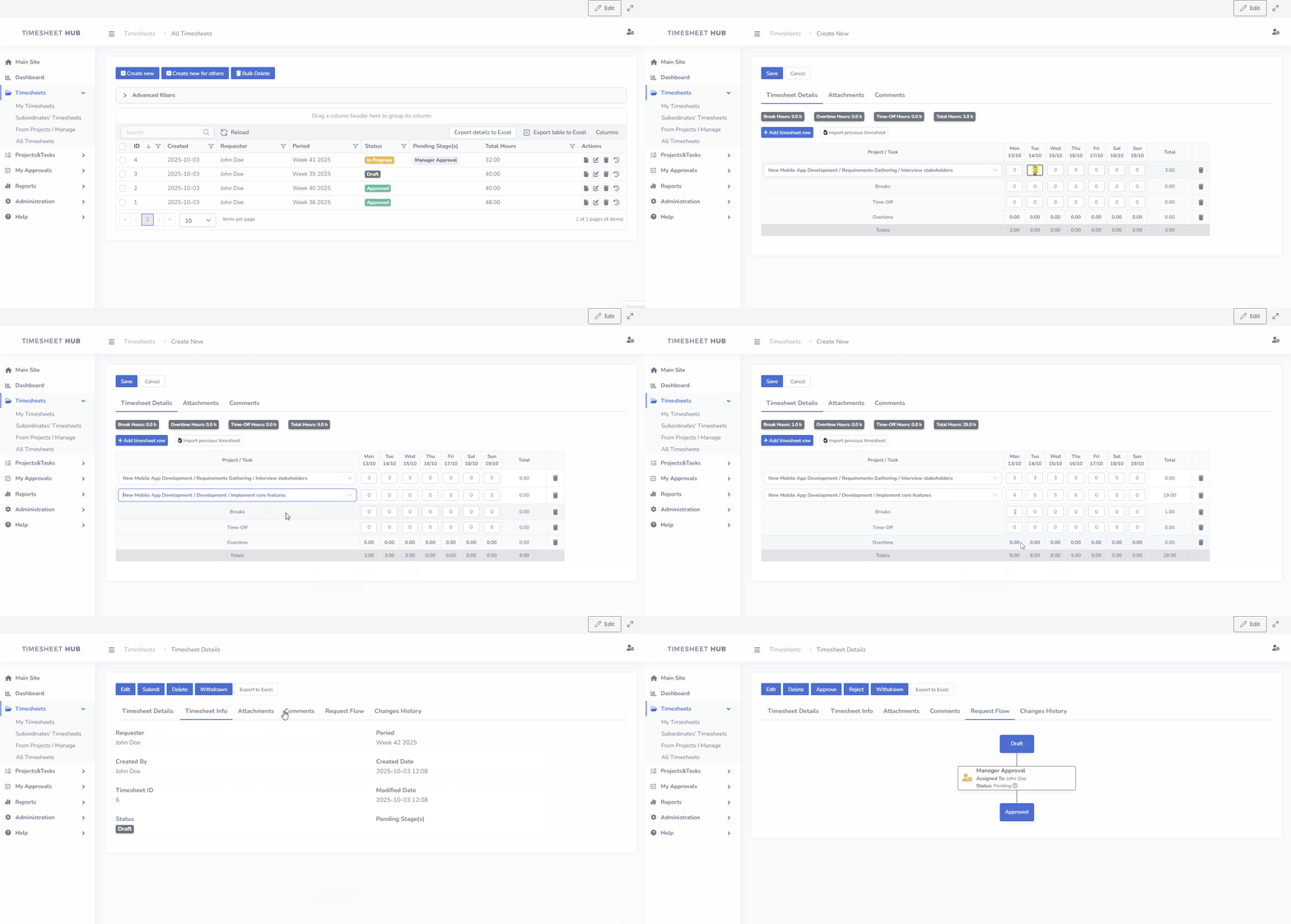
- Flexible entry modes: duration or start/end times, aligned to weekly, bi-weekly, monthly, or custom periods.
- Integrated tracking: record breaks, time-off, and overtime in the same timesheet, with automatic overtime calculations.
- Smart validation: max hours/day limits, required fields, duplicate detection, and blackout dates reduce errors.
- Calendar alignment: honor corporate calendars and public holidays, plus configurable working days.
- Approvals & reminders: sequential or parallel multi-level approvals with automated notifications for submissions, approvals, and overdue actions.
- Visibility & insights: dashboards show hours, utilization, projects, and costs; reports & analytics support billing, management, and compliance.
Projects, Tasks and Client Management
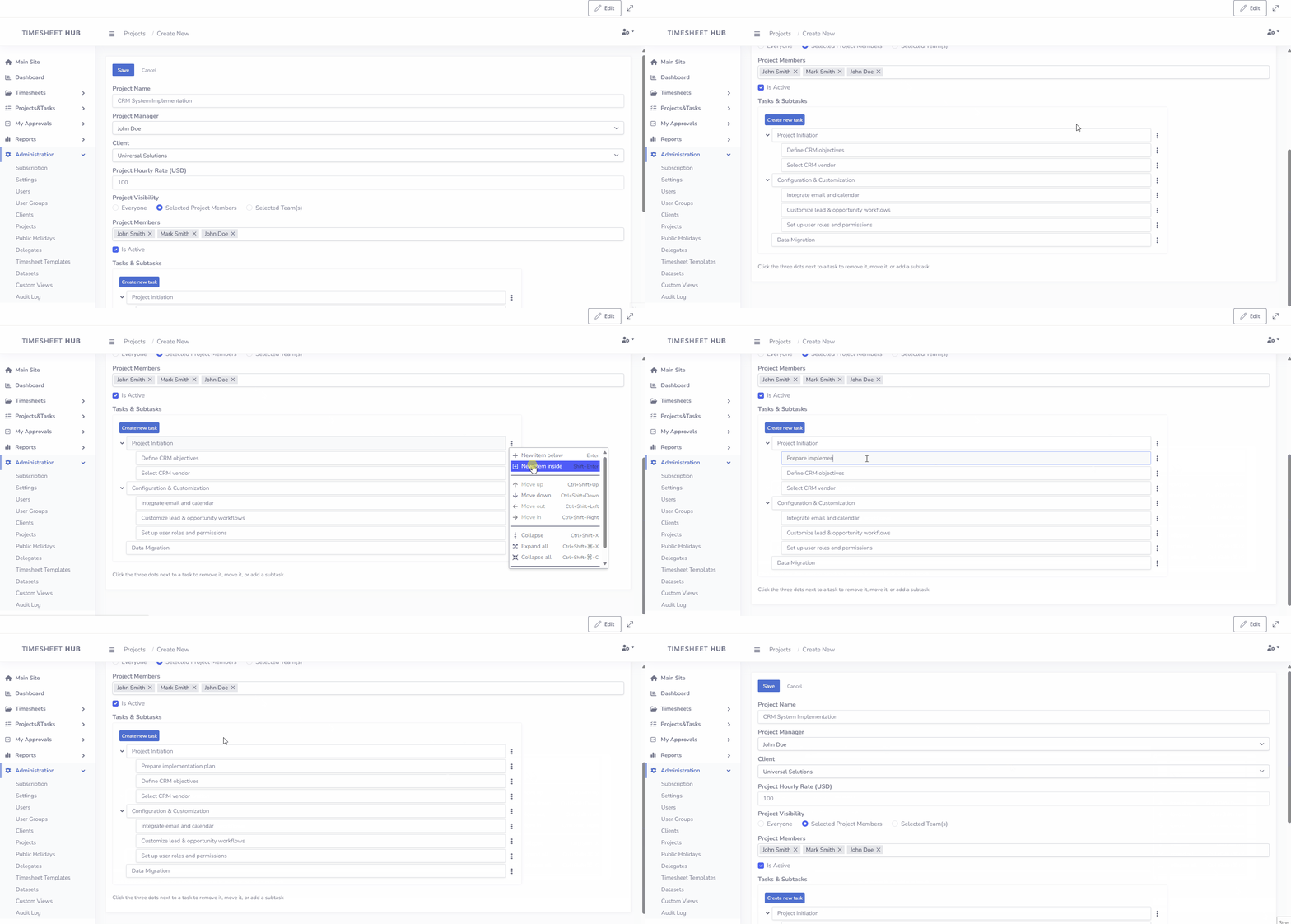
Define and control your delivery structure with clients, projects, tasks, and optional subtasks, ensuring precise allocation and accountability.
- Project hierarchy: organize clients → projects → tasks (→ subtasks) for accurate time capture and reporting.
- Ownership & roles: assign project managers and specify which users can book time on each project.
- Access control: limit visibility and entry to authorized users or departments to maintain data quality.
- Billable vs non-billable: track chargeable and internal work to measure utilization and profitability.
- Cost tracking: apply rates by user, timesheet task, or project to calculate accurate labor costs.
- Workflow alignment: route approvals by amount, role, project, or department using the dynamic editor.
- Reporting by client/project: generate focused timesheet and cost reports for billing and management reviews.
Contextual Comments
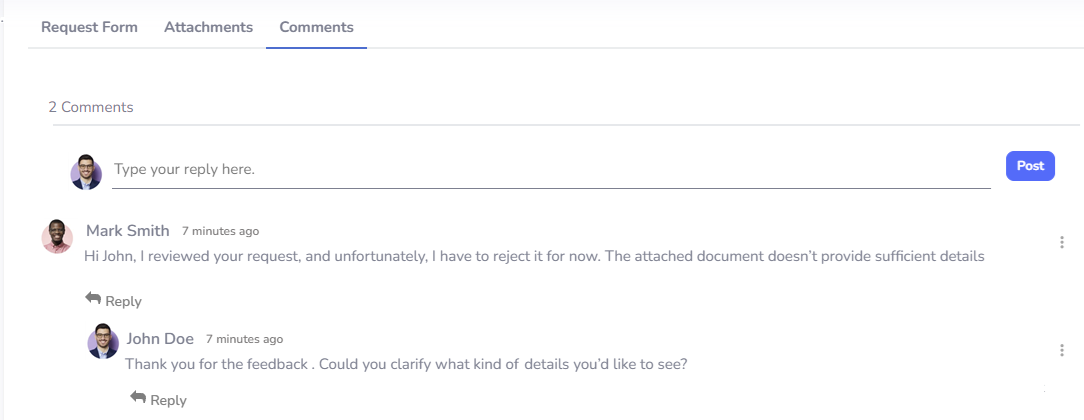
Keep discussions relevant and accessible by adding comments directly to work items. Share insights, track changes, and maintain transparency—all without losing focus or context.
Timesheet Setup Templates
Timesheet Templates give administrators the flexibility to design different timesheet structures for various teams. Each template can include its own reporting periods, entry modes, custom fields, workflows, and validation rules, ensuring that the timesheet process aligns with specific departmental or organizational requirements.
General Settings
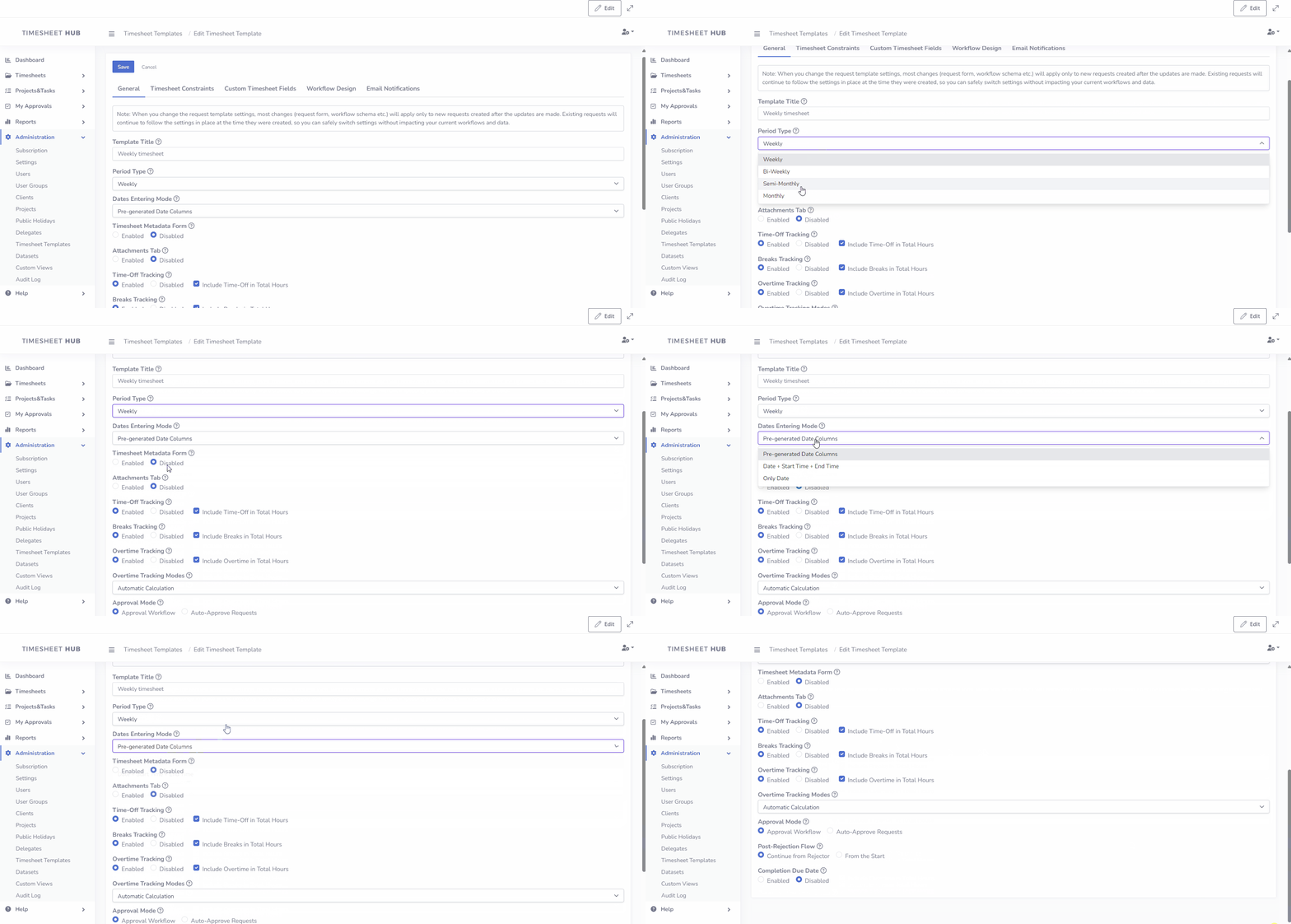
Within the general settings, administrators can define the overall behavior of a template. For example, a team may use a weekly cycle with pre-generated date columns, while another department may prefer bi-weekly timesheets with start and end times. Options such as metadata forms, attachments, or overtime tracking can be enabled to extend the functionality according to business needs.
Timesheet Constraints
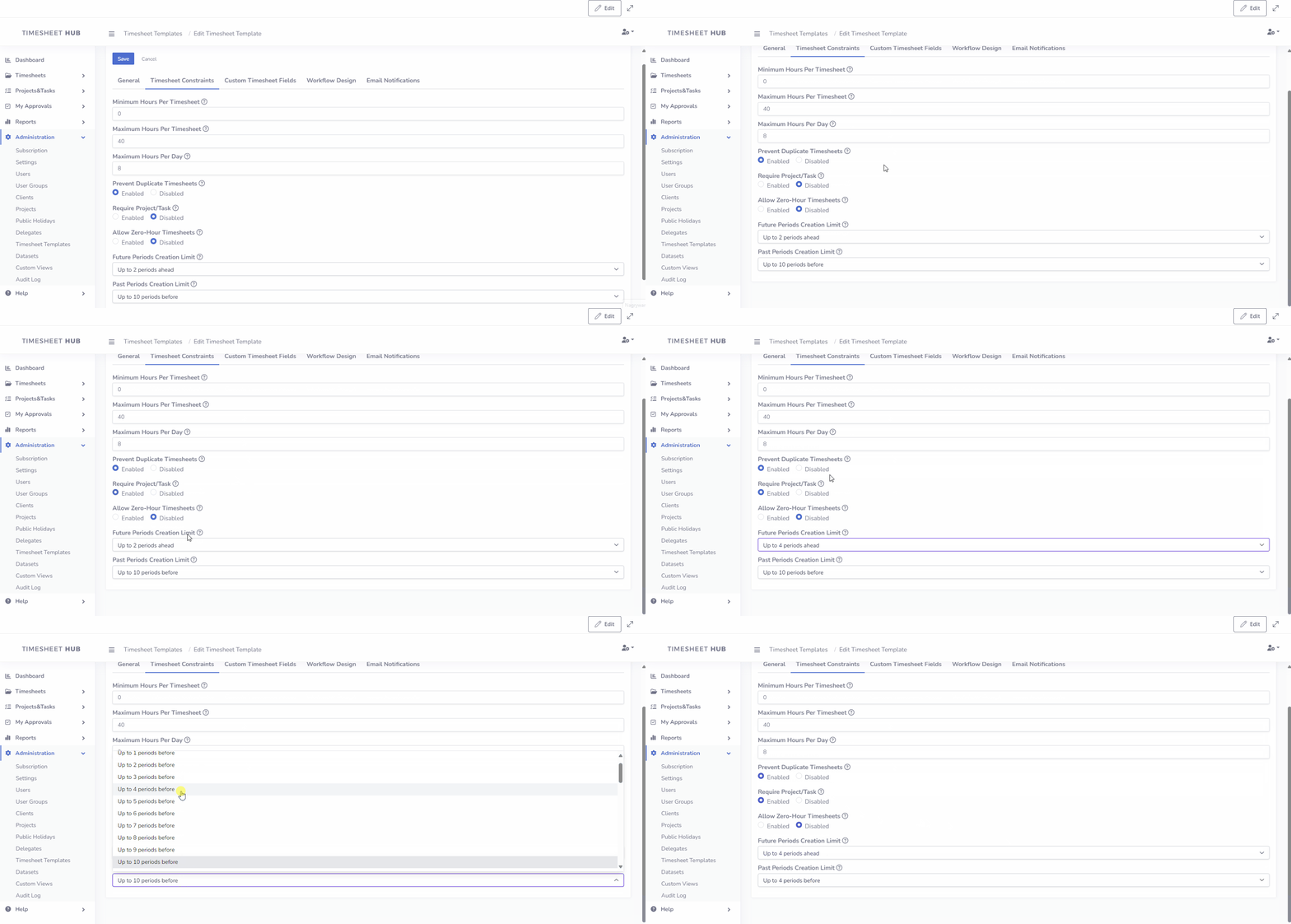
The constraints section helps maintain consistency and prevent errors. Administrators can set rules such as minimum or maximum hours per timesheet, limit the number of hours that can be logged in a single day, or restrict users from creating duplicate entries for the same period. These rules ensure that data remains accurate while supporting compliance with internal policies.
Timesheet Metadata Form and Form Builder
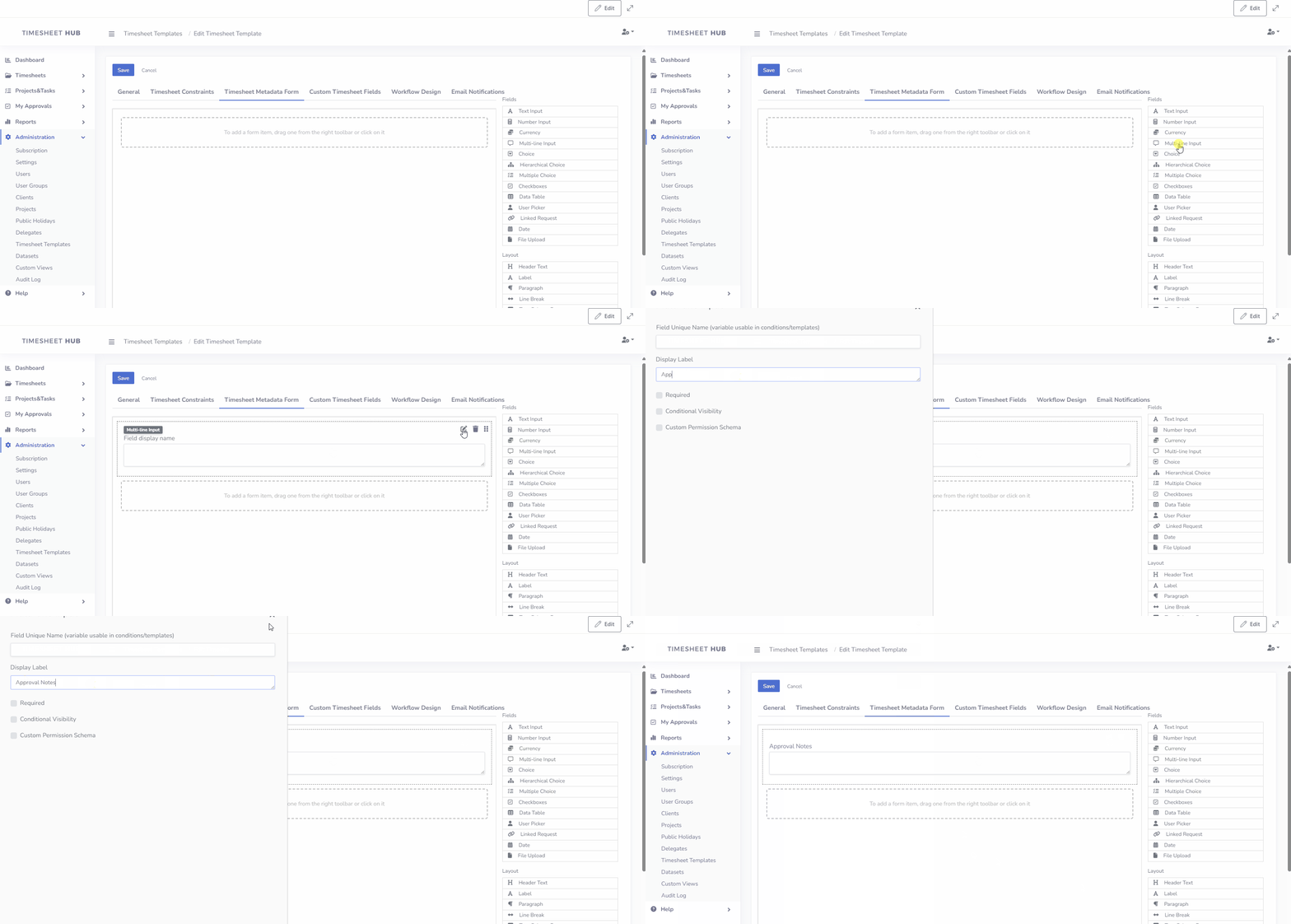
In addition to the timesheet table, each timesheet can include a separate form containing extra metadata. Using the built-in Form Builder, administrators can design custom fields to capture any information required by the process. This allows organizations to extend timesheet requests with tailored data points, such as cost centers, client codes, approval notes, or department-specific details, ensuring that all relevant information is collected in a structured and consistent way.
Flow Builder with Conditional Logic
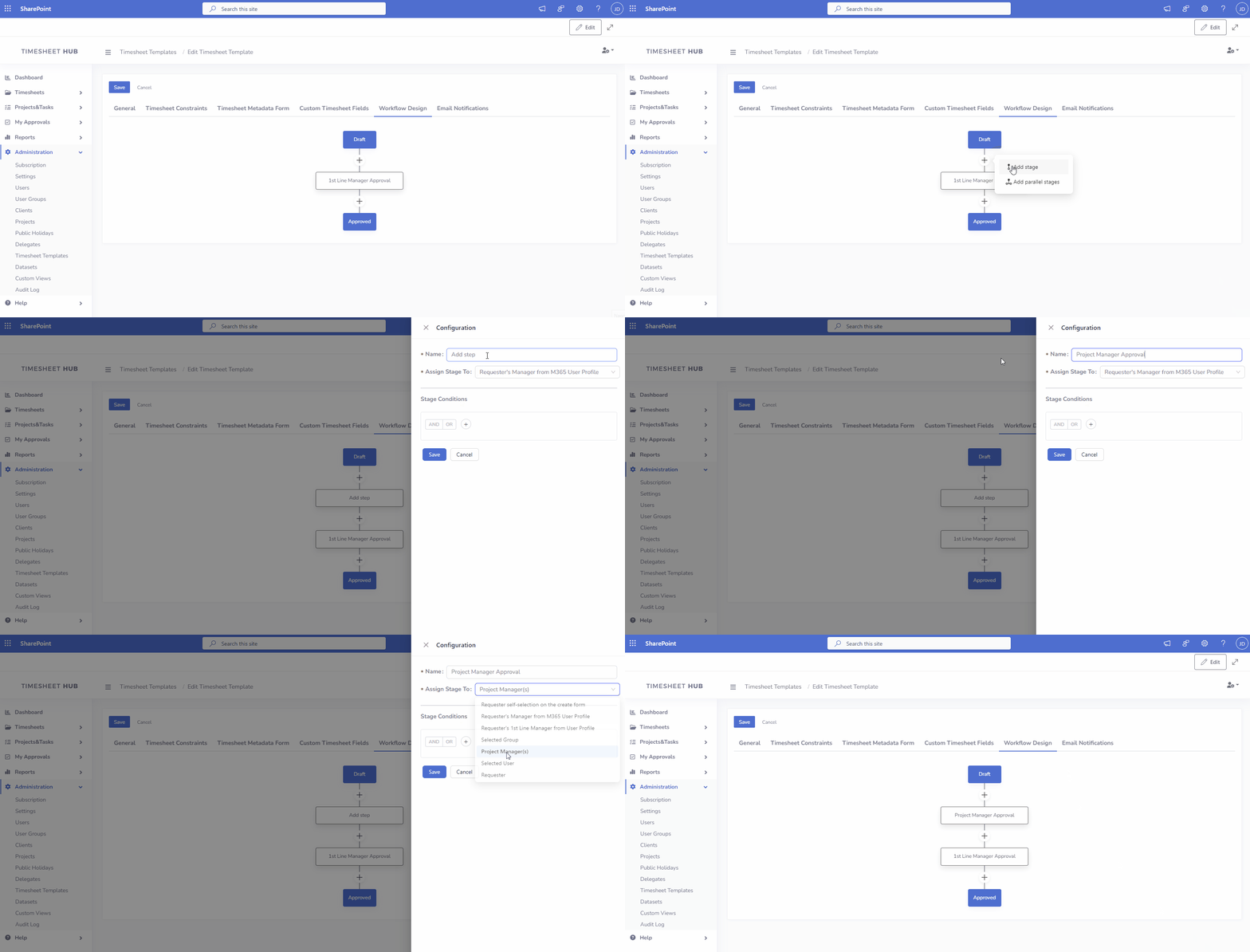
Create structured approval workflows that match your process needs. With the ability to design sequential, parallel, or mixed approval paths, you can set conditions and assignments that ensure each timesheet is handled smoothly and accurately.
Approval Delegation
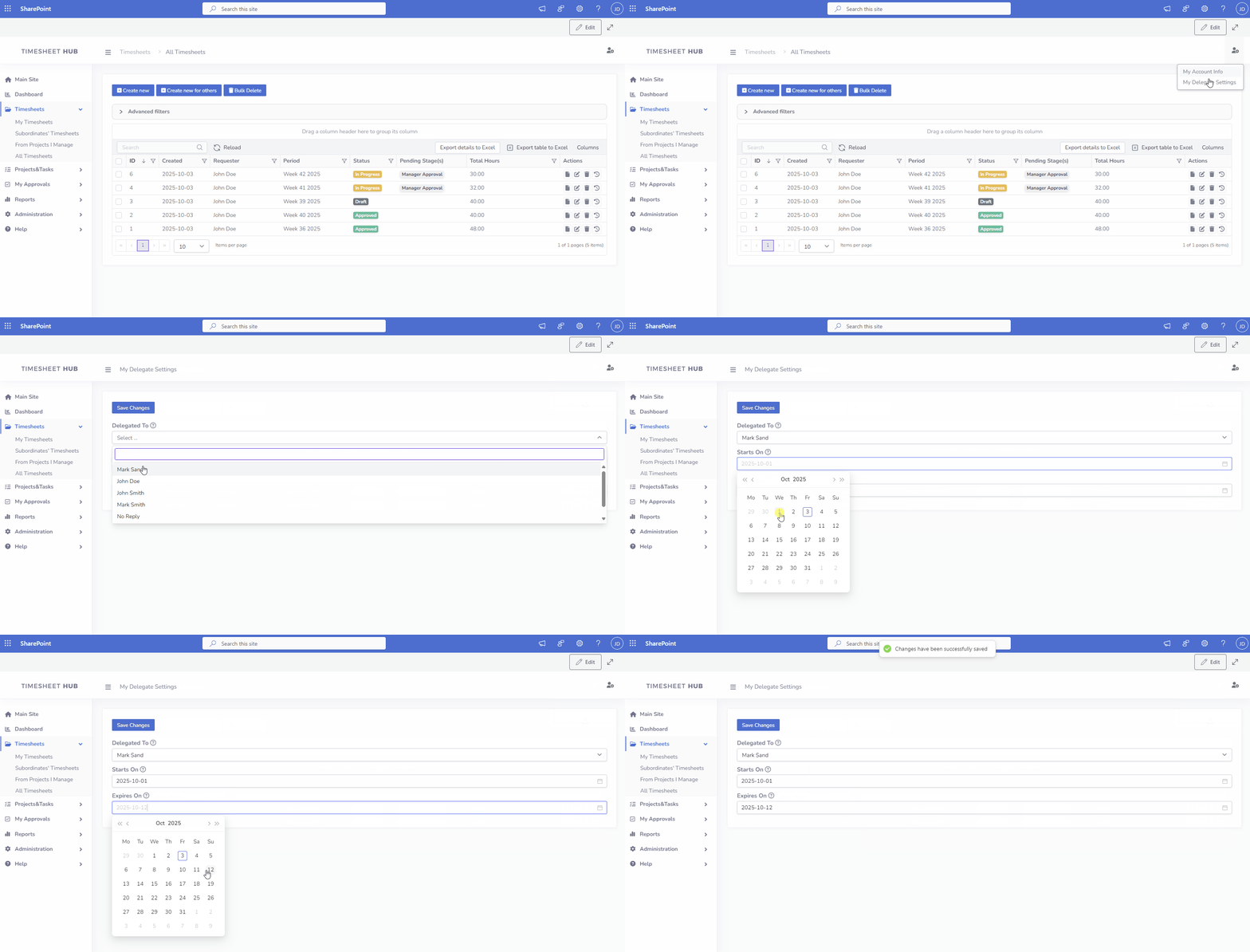
Managers can assign delegates to handle approvals on their behalf during absences, ensuring uninterrupted workflow and timely decisions.
Reports & Analytics
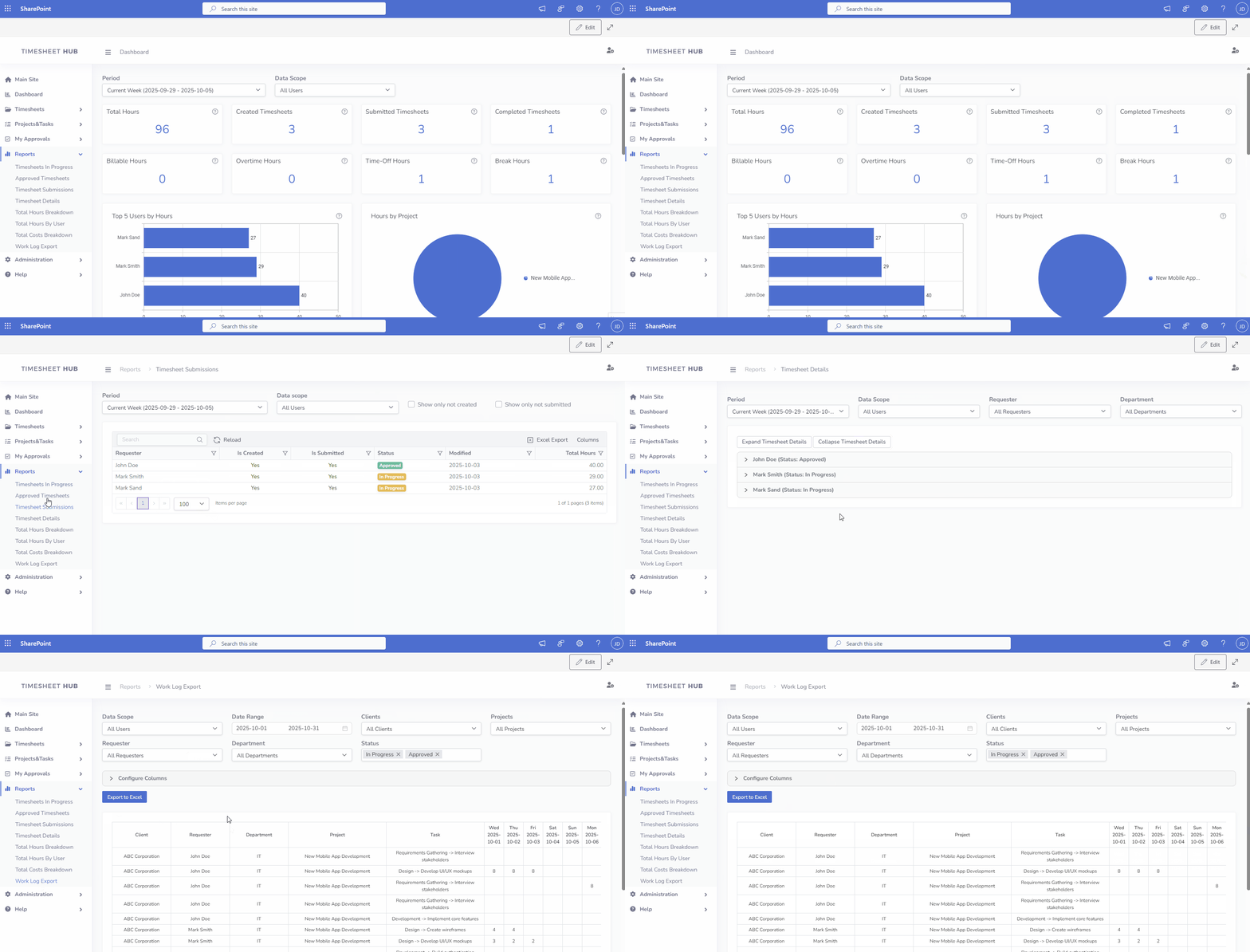
Access a comprehensive set of reports designed to give you full visibility into employee time tracking and project allocation. The interactive dashboard highlights key metrics at a glance, while detailed submissions and work logs allow for in-depth review of individual entries. Breakdowns of total hours and costs provide insights into utilization, productivity, and financial impact, helping managers optimize resources and control budgets more effectively..
Permissions and Role-Based Access Control
Maintain security and streamline workflows with predefined roles: Administrator, Regular User, Manager, Project Manager, Viewer, and Contributor . Assign tailored permissions to ensure users only see and access what’s relevant to their role, fostering accountability and clarity.

Audit Log
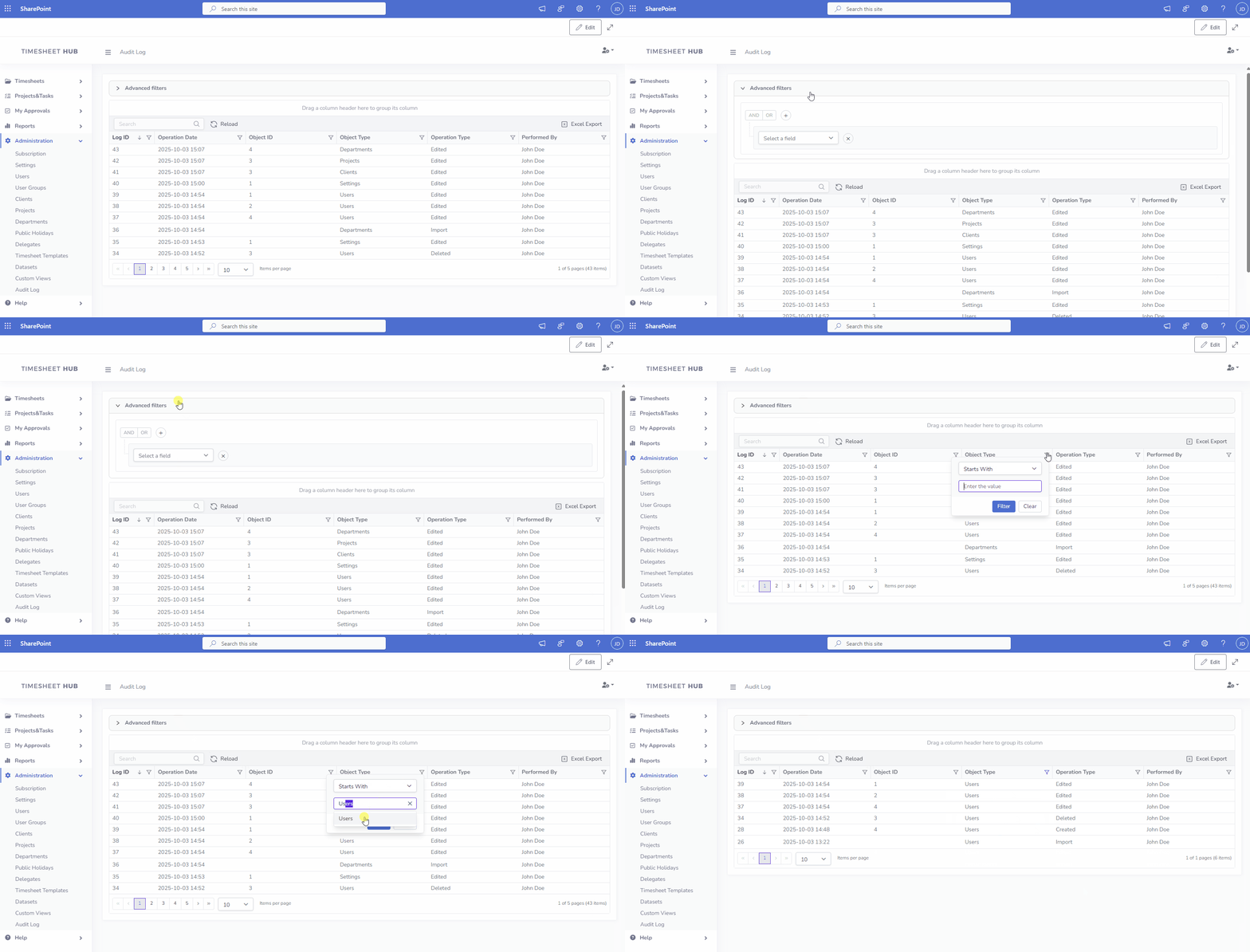
Ensure transparency and accountability with a centralized audit log that tracks every operation—from edits to deletions. Keep a clear record of changes, empowering teams with a reliable trail for compliance and process improvement.
Email Notifications and Reminders
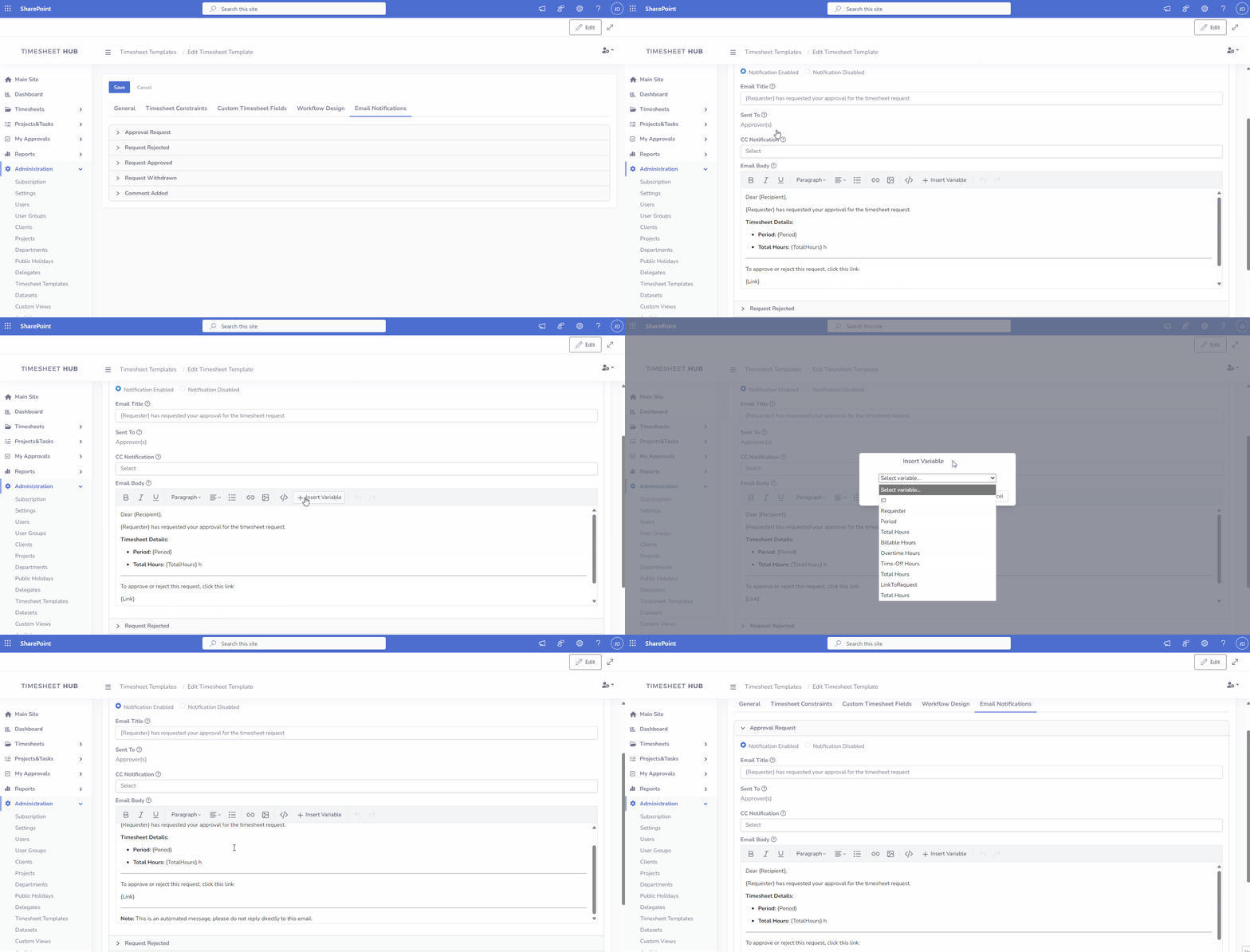
The app supports email notifications and reminders to streamline your workflow. By setting up Power Automate flows, you can enable these features and customize email templates for each specific timesheet template.
Custom Branding
Personalize the app to match your organization's identity with Custom Branding. Easily customize the logo and color scheme to reflect your brand, ensuring a cohesive and professional look across your workflows.