User Guide
Approving Timesheets
Follow these steps to approve or reject timesheets(s)
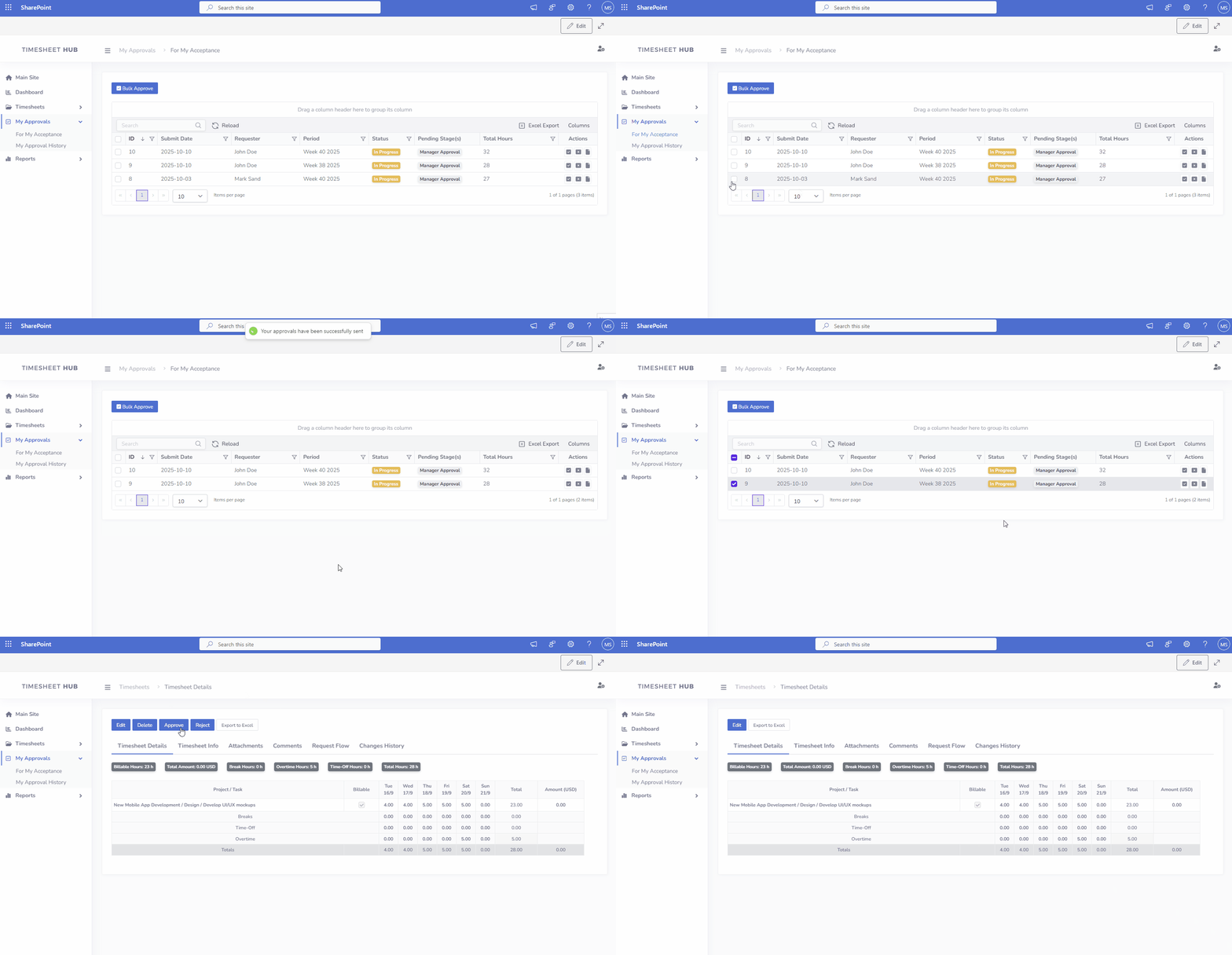
- Navigate to the 'My Approvals' section in the left menu and click on the "For my acceptence"
- Approve or reject a request by using one of three possible ways:
- Bulk approval mode in data table (checkboxes and button 'Bulk Approve')
- Approve/Reject icons in data table
- Approve/Reject buttons on the request details page