User Guide
Creating Timesheets
Follow these simple steps to create a new timesheet:
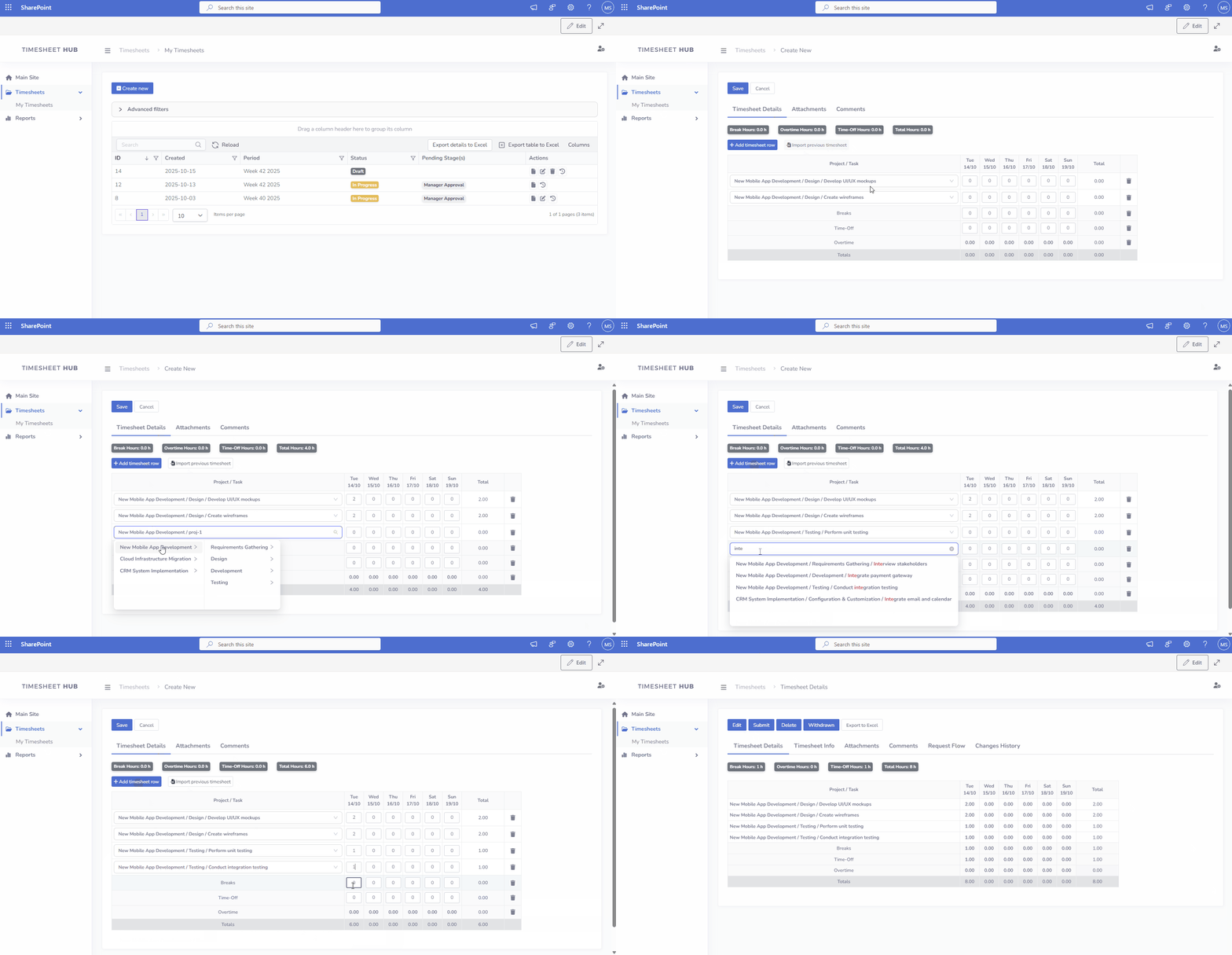
- Navigate to the 'Timesheets' section in the left menu and click on the "My Timesheets"
- Click on the "Create New" button and select proper timesheet period
- Enter the timesheet information under the "Timesheet Details" tab (projects, task hours, etc.), then click "Save" to apply your changes.
Tips
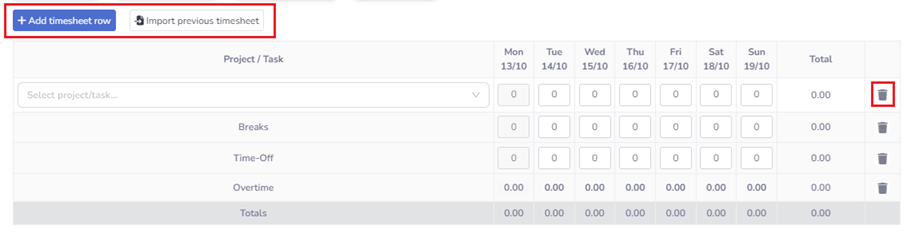
- To add a new item (row) to the timesheet, click the Add Timesheet Row button.
- If you want to copy projects or tasks from a previous timesheet, use the Import Previous Timesheet button.
- To delete a row, click the Delete icon next to it.